 All Posts
Multi-Cluster Scaling: One Kedify Brain for Fleet of Kubernetes Clusters
by Jan Wozniak
March 03, 2026
Introduction
Kubernetes footprints rarely stay single-cluster for long.
Maybe you added a second cluster for another cloud provider, spun up edge clusters close to users, or split workloads for regulatory reasons. Each cluster gets its own KEDA, HPAs, dashboards and alerts. And every time you change scaling logic, you duplicate that work everywhere.
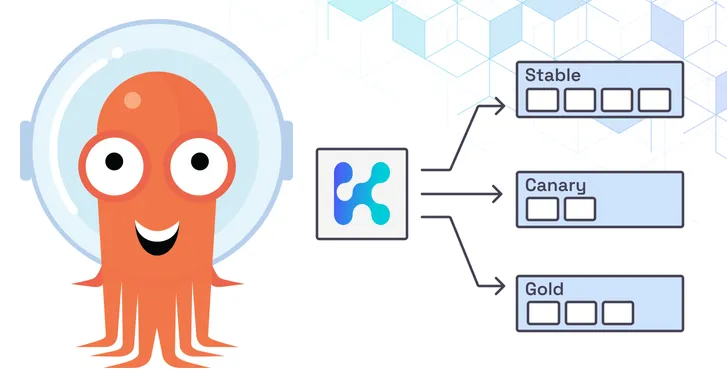
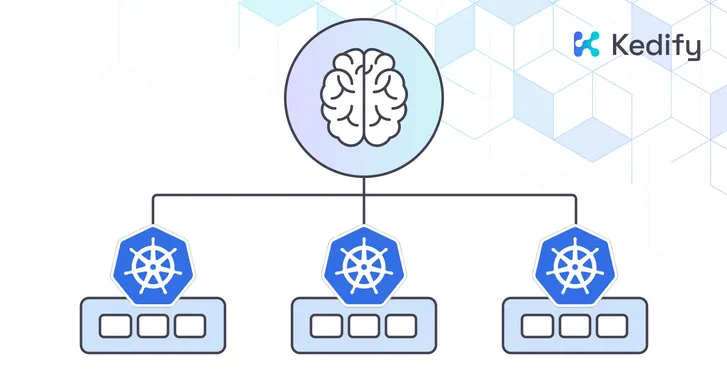
Kedify’s new multi-cluster scaling feature lets you keep one central scaling brain while spreading workloads across many Kubernetes clusters. Instead of treating clusters as isolated islands, you can now:
- Share traffic and replicas between clusters
- Shift load away from unhealthy regions
- Keep the control plane in one “KEDA cluster” and run lightweight “member clusters” for workloads only
Under the hood, this is powered by a new CRD called DistributedScaledObject plus fresh support from kubectl kedify plugin.
In this post we’ll walk through:
- Why multi-cluster scaling matters
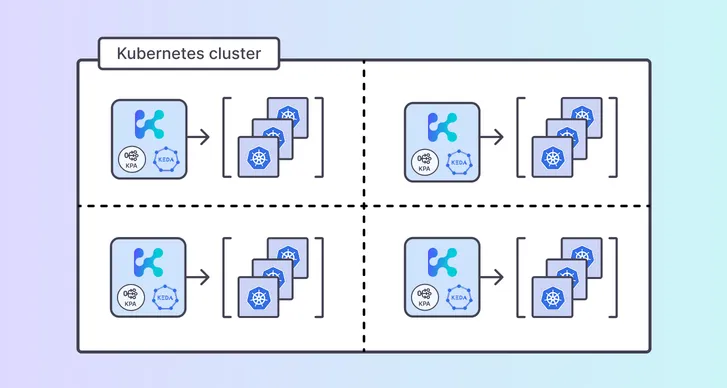
- The architecture: KEDA cluster vs. member clusters
- The new
DistributedScaledObjectCRD as a multi-cluster scaling API - How to connect member clusters using
kubectl kedify mc - And finally a hands-on example with a fleet of k3d clusters
Why Multi-Cluster Scaling?
Teams end up with multiple clusters for good reasons:
- Regions & latency – EU, US, APAC clusters for proximity to users
- Failure domains – separate clusters so a bad upgrade or noisy node pool doesn’t take everything down
- Different environments or tenants – per-customer or per-business-unit clusters
- Edge & constrained environments – small clusters on the edge or in regulated environments
Without multi-cluster scaling, you either treat each cluster as a separate world (duplicate ScaledObjects and policies everywhere), or
hack something together with ad-hoc scripts to tweak replicas per cluster. Dealing with failures and changes in demand become a very difficult
challenge in either case.
Kedify’s multi-cluster scaling solves this by letting one control plane decide how many total replicas across all environments you need based on target metrics, how to distribute those replicas to each environment, and how to deal with outages and errors with rebalancing strategies.
Architecture: KEDA Cluster vs. Member Clusters
Multi-cluster scaling introduces two types of clusters:
- KEDA Cluster
- Runs the Kedify stack (KEDA + kedify-agent).
- Watches metrics and computes desired replica counts.
- Talks to all member clusters over their kube-apiservers.
- Member Clusters
- Host the actual workloads (Deployments, etc.).
- Do not need to run KEDA themselves (reduced operational overhead).
- Only need dedicated
ServiceAccountwith minimal RBAC for scaling.
This brings a few nice properties. There will be smaller footprint on member clusters which is good for edge or cost-sensitive environments. Single control plane for autoscaling makes it easier to reason about properties and troubleshoot during unexpected situations and outages. Connectivity is flexible: the KEDA cluster just needs to reach each member cluster’s kube-apiserver.
That can be via VPN, VPC peering or a load balancer with appropriate network and authentication controls. And because KEDA typically runs in a Kubernetes cluster with kube-apiserver too, it can serve as a member cluster for distributed workloads as well on top of being an autoscaling controller.
Connecting Member Clusters with kubectl kedify
To avoid manual RBAC and secret plumbing, Kedify ships a multicluster subcommand in the kubectl kedify plugin. There are three basic
commands that you will need – to add a member, list all members and also to delete a member.
# Register a new member clusterkubectl kedify mc setup-member <name> \  --keda-kubeconfig ~/.kube/config \  --member-kubeconfig ~/.kube/member-1.yaml \  [--member-api-url https://...]
# List registered member clusterskubectl kedify mc list-members
# Remove a member clusterkubectl kedify mc delete-member <name>
The setup-member flow will create keda Namespace, setup kedify-agent ServiceAccount, ClusterRole and ClusterRoleBinding necessary
for scaling workloads and generate token for ServiceAccount authentication. A kubeconfig with auth will be stored in the KEDA cluster,
so it can perform scaling operations in the member cluster.
Introducing the DistributedScaledObject CRD
In standard KEDA, a ScaledObject says: “scale this workload in this cluster based on these metrics.” Multi-cluster scaling generalizes that to: “scale this workload across my fleet.”
Conceptually, it contains four parts:
spec.memberClusters– which member clusters participate and how much “weight” they getspec.rebalancingPolicy– what to do when a member cluster becomes unavailablespec.scaledObjectSpec– the familiarScaledObjectspec (scaleTargetRef, triggers, min/max, etc.)status– information about scaling progress in each member and healthiness of each cluster
Here is a simplified example:
apiVersion: keda.kedify.io/v1alpha1kind: DistributedScaledObjectmetadata:  name: nginxspec:  # Optional - if omitted, all registered clusters participate equally  memberClusters:    - name: member-cluster-1      weight: 4 # roughly 40% of replicas    - name: member-cluster-2      weight: 6 # roughly 60% of replicas
  # Optional - controls how Kedify reacts to outages  rebalancingPolicy:    gracePeriod: 1m # wait before rebalancing replicas away from unresponsive cluster
  # Regular ScaledObject spec, same schema you know from KEDA  scaledObjectSpec:    scaleTargetRef:      kind: Deployment      name: nginx    minReplicaCount: 1    maxReplicaCount: 10    triggers:      - type: kubernetes-resource        metadata:          resourceKind: ConfigMap          resourceName: mock-metric          key: metric-value          targetValue: '5'
The status of DistributedScaledObject contains relevant information to provide insight into the multi-cluster aspect of the scaling
status:  # Aggregated high-level status of scaling  membersHealthyCount: 2  membersTotalCount: 2  totalCurrentReplicas: 5
  # Each member basic status information with scaling portion  memberClusterStatuses:    member-cluster-1:      currentReplicas: 2      description: Cluster is healthy      desiredReplicas: 2      id: /etc/mc/kubeconfigs/member-cluster-1.kubeconfig+kedify-agent@member-cluster-1      lastStatusChangeTime: '2025-11-05T16:46:39Z'      state: Ready    member-cluster-2:      currentReplicas: 3      description: Cluster is healthy      desiredReplicas: 3      id: /etc/mc/kubeconfigs/member-cluster-2.kubeconfig+kedify-agent@member-cluster-2      lastStatusChangeTime: '2025-11-05T15:45:44Z'      state: Ready
Kedify creates a ScaledObject in the same namespace with the same name for each DistributedScaledObject. For troubleshooting purposes, this
will contain all information regarding triggers, scaling and HPA, it’s the same old ScaledObject from KEDA you are probably already familiar with.
Handling Outages and Rebalancing
Clusters fail, links flap, certificates expire, networks have outages. DistributedScaledObject includes a rebalancingPolicy to define how Kedify
reacts when a member cluster becomes unreachable. When the agent can’t talk to a member’s kube-apiserver, that cluster is marked as unhealthy.
Kedify waits for the configured gracePeriod (default 1 minute) and if the problem persists, replicas that would have run on the broken member
are redistributed to healthy clusters, proportional to their weights. When the member cluster comes back, replicas are shifted back to match the
original weight distribution over time.
This gives you a built-in failover behavior for autoscaling, without introducing a second tier home-grown automation. For additional network level reliability and automated traffic redirections, you should check out CNCF project called K8GB, Kubernetes Global Balancer.
Closing thoughts
Once you have multi-cluster scaling in place, you can start treating your fleet like a single capacity layer, not a collection of isolated islands. DistributedScaledObject gives you a stable API for distributing replicas by weight, reacting to outages with rebalancing, and keeping the control plane centralized while member clusters stay lightweight.
Next up, we’ll extend the same model to batch workloads with DistributedScaledJob, so you can distribute and scale Kubernetes Jobs across clusters with the same “one brain” approach.
Get Started
- See multi-cluster scaling documentation
- Please book demo to walk through a configuration tailored to your workloads.