 All Posts
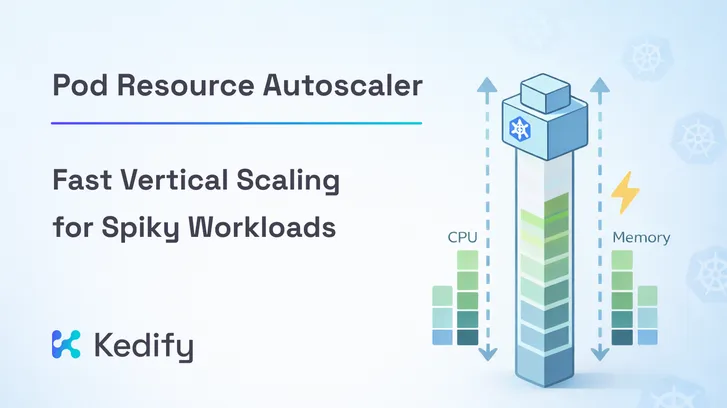
Pod Resource Autoscaler: Fast Vertical Scaling for Spiky Workloads
February 12, 2026
Introduction
Autoscaling on Kubernetes has evolved significantly, but many production systems still rely on reactive scaling based on CPU and memory utilization. The issue is familiar: resource metrics often lag behind real demand. By the time CPU rises, users may already be experiencing latency.
In this post, we focus on fast vertical scaling. Specifically, how to react to rapid resource pressure without restarts and without waiting for slow recommendation cycles.
Why Fast Vertical Scaling Matters
Kubernetes Vertical Pod Autoscaler (VPA) is designed around a
recommendation model. It periodically analyzes historical and current usage and produces resource recommendations. Depending on configuration, it may recreate pods or apply changes in place. It is not
designed as a tight, continuous control loop.
is designed around a
recommendation model. It periodically analyzes historical and current usage and produces resource recommendations. Depending on configuration, it may recreate pods or apply changes in place. It is not
designed as a tight, continuous control loop.
This is perfectly suitable for long-term rightsizing. It is less suitable when:
- CPU spikes in seconds rather than minutes
- Memory footprint shifts under changing traffic patterns
- Replica count cannot increase quickly enough
- You run stateful or connection-heavy services
- You operate with a small number of replicas
In these cases, waiting for recommendations is often too slow. You want the pod itself to resize quickly while it is under pressure.
Introducing Pod Resource Autoscaler (PRA)
Pod Resource Autoscaler (PRA) is Kedify’s utilization-driven vertical scaler. It continuously
adjusts CPU and memory requests and limits for a container in matching pods, without changing replica count and without restarting the pod.
Two technical design decisions make PRA fundamentally different from recommendation-based systems:
-
Direct kubelet metrics PRA reads resource usage directly from the kubelet. This removes an extra aggregation layer and enables short polling intervals.
-
In-place resizing PRA applies changes through the pods/resize subresource, relying on Kubernetes In-Place Pod Resource Resize.
How PRA Works
PRA watches PodResourceAutoscaler objects and target Pods, groups them per node, and runs a single poller per node that fetches usage statistics once per cycle.
In short, PRA checks whether CPU or memory utilization crosses configured thresholds for a sustained number of samples. If it does, it resizes requests and or limits toward a target utilization, while respecting cooldown periods and optional min, max, and step bounds.
It is not recommendation-driven. It is utilization-band driven.
PRA vs VPA
VPA and PRA are complementary tools, optimized for different time horizons.
- VPA: periodic recommendations, long-term rightsizing, metrics server based
- PRA: short polling loop, direct kubelet stats, fast in-place adjustment
If your goal is steady optimization over time, VPA is a strong choice. If your goal is fast reaction to runtime pressure, PRA is purpose-built for that scenario.
Make vertical scaling react in seconds.
See how Kedify enables fast, in-place resource resizing without restarts.
Get StartedDemo: Watching PRA React to Changing Load
To demonstrate fast vertical scaling, we use Kedify’s load-generator sample application. It allows switching runtime profiles between idle and high, producing clear CPU and memory shifts. The sample exposes simple REST endpoints that let you change the runtime utilization profile on demand.
You can explore the full source code here: load-generator sample
Step 1: Deploy the Sample Workload
Deploy the sample load-generator application with baseline requests:
resources: requests: cpu: 100m memory: 96Mi limits: cpu: 300m memory: 600MiStep 2: Create a PodResourceAutoscaler
Below is a trimmed PRA example focused on requests:
apiVersion: keda.kedify.io/v1alpha1kind: PodResourceAutoscalermetadata:  name: load-generatorspec:  target:    kind: deployment    name: load-generator  containerName: load-generator
  policy:    pollInterval: 5s    consecutiveSamples: 2    cooldown: 30s
    cpu:      requests:        scaleUpThreshold: 75        scaleDownThreshold: 45        targetUtilization: 60
    memory:      requests:        scaleUpThreshold: 75        scaleDownThreshold: 50        targetUtilization: 60
  bounds:    cpu:      requests:        min: 100m        max: '2'        stepPercent: 50    memory:      requests:        min: 96Mi        max: 2Gi        stepPercent: 50
This configuration samples every 5 seconds and requires two consecutive threshold crossings before acting.
Step 3: Monitor Resource Changes
Open a terminal and watch the resource requests for the load-generator container:
watch "kubectl get pod -l app=load-generator -ojsonpath=\"{.items[0].spec.containers[?(.name=='load-generator')].resources}\" | jq"You will see CPU and memory requests change live, without pod restarts and without changing replica count, something like this:
{ "requests": { "cpu": "100m", "memory": "96Mi" }, "limits": { "cpu": "300m", "memory": "600Mi" }}In another terminal, forward the service of the load-generator to interact with it:
kubectl port-forward svc/load-generator 8080:8080Then in yet another terminal, use following commands to switch profiles of the load-generator to idle (low resource usage) high (high resource usage) and back to idle:
# start with idle profilecurl -X POST localhost:8080/profile/idle
# after some time, trigger high loadcurl -X POST localhost:8080/profile/high
# and then go back to idlecurl -X POST localhost:8080/profile/idle
As load increases, requests and limits rise. When returning to idle, they gradually shrink within configured bounds:
This is fast vertical scaling in action.
Closing Thoughts
Vertical scaling is no longer just a static sizing decision. Kubernetes in-place resize makes dynamic vertical control practical. The remaining question is how fast your control loop reacts.
If your workload experiences sudden CPU bursts, fluctuating memory usage, or limited ability to scale out horizontally, PRA provides a fast and controlled way to keep pods within a healthy utilization band.
React quickly.
Resize without restarts.
Stay efficient under changing load.
Resources
-
Pod Resource Autoscaler Documentation
-
How-To: Vertical Scaling with PodResourceAutoscaler
-
Kedify Vertical Scalers Overview
Built by the core maintainers of KEDA. Battle-tested with real workloads.